hurozo Attend
First step

Set up your first agency

Create an agency, add workers, attach canon, and assign its first task.

Worker Tools

Manage worker

Tune the role and tools for this agency teammate. Graph wiring stays internal.

Tools

Loading...

Worker View

No tools selected
Team worker Untitled Agent Describe what this agent should do. HurozoAgent

Worker Chat

Describe the worker you want to add to this team, or what you want to change.
Draft JSON
{}

Teams

Teams are managed from Agency.

Connectors

Connectors

Connect services for the current agency

Loading connectors…

Agency

Team workspace

Planning

Filters

Build

Runs

Execution activity

Runs

Inspect Worker work, tool calls, reasoning summaries, and failures.

Select a run to inspect its activity.

Files

Agency files

    Documentation

    Contact Us

    New message

    To: hi@hurozo.com

    Hurozo CLI

    Terminal-first agent work

    Hurozo CLI

    The same Hurozo agent runtime, model routes, approvals, and connected tools from your shell.

    Install with Homebrew
    brew tap hurozo/hurozo-cli
    brew install hurozo-cli
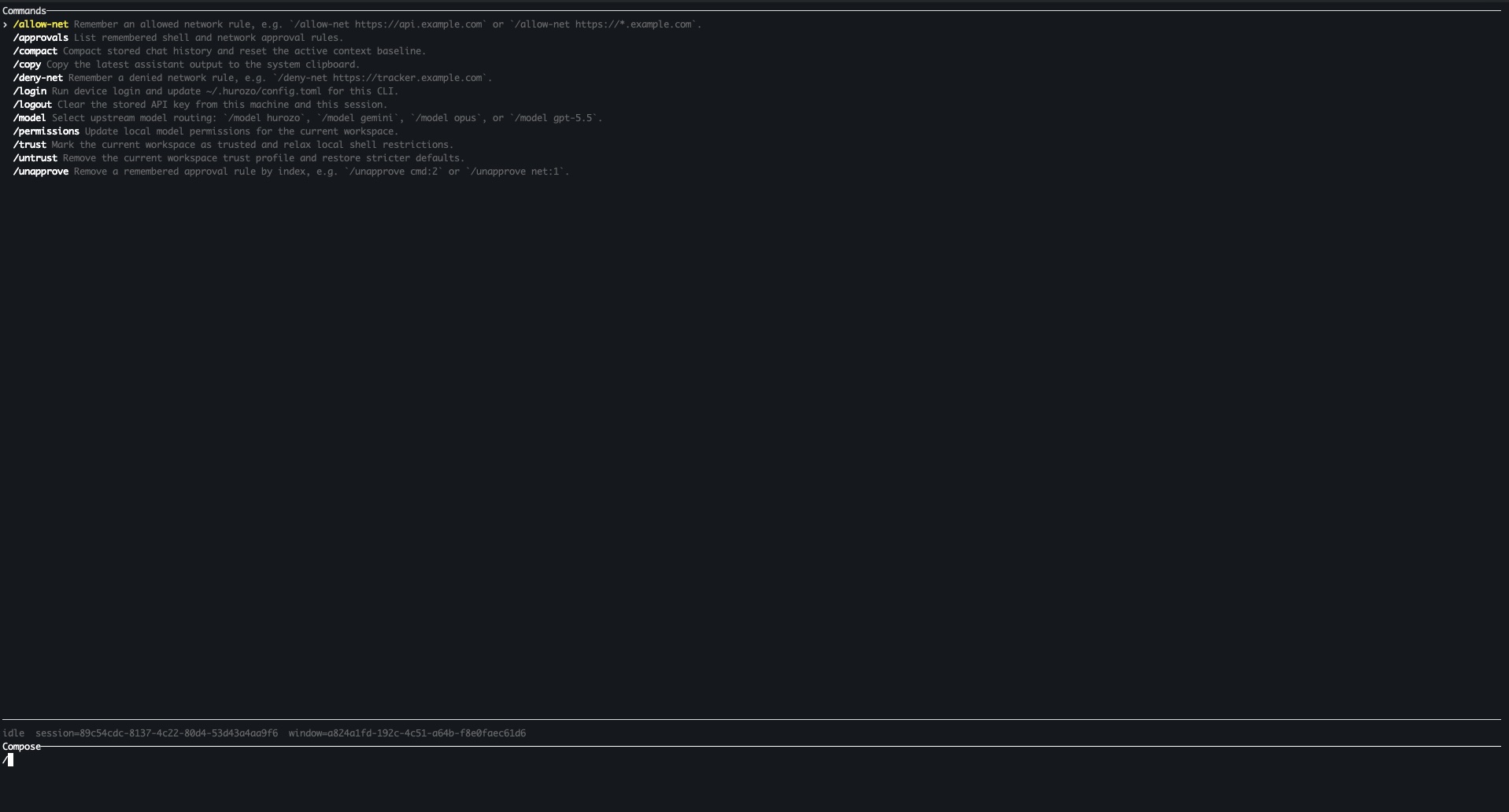
    Hurozo CLI running in a terminal

    Model routing

    Switch between Hurozo, Gemini, Opus, and ChatGPT-backed routes when your account is configured for them.

    Approvals

    Review tool permissions from the terminal and keep remembered decisions scoped to the exact operation.

    Second opinions

    Use model arbitration to ask another available route for critique, checks, or a different perspective.

    Connected tools

    Use the same account-backed connectors and skills available in Hurozo's desktop and WebCLI experiences.

    First run

    After installation, run hurozo. The CLI walks you through account authentication and any model-specific sign-in or secret setup that your selected route requires.

    Hurozo SDK

    Python agent invocation

    Hurozo SDK

    Invoke saved Hurozo agents from Python using the same API tokens, inputs, outputs, and runtime routing used by Agent Builder.

    Install
    pip install hurozo
    getting_started.pyPython
    import json
    import os
    
    from hurozo import Agent
    
    os.environ["HUROZO_API_TOKEN"] = "YOUR_API_TOKEN"
    agent = Agent("sentiment-analyser")
    inputs = {
        "prompt": "Analyze sentiment and return JSON. Text:",
        "input": "I am very happy!",
    }
    
    result = agent.run(inputs)
    print(json.dumps(result, indent=2))

    Agent lookup

    Use an agent name, saved agent id, or agent UUID. The SDK resolves the correct execution target.

    Structured inputs

    Pass a Python dictionary matching the API input keys exposed by the saved workflow.

    Hosted runtime

    Runs against Hurozo's execution endpoint, including model routing, tools, outputs, and usage accounting.

    Token setup

    Create an API token from Account settings -> Manage API Tokens, then set it as HUROZO_API_TOKEN before running scripts.

    Getting started

    Watch it prove itself on your tickets, before it answers a single customer.

    Automate customer service true to your brand. It answers every customer from your own truth, on every channel, and hands the hard ones to a person. You watch it prove itself before it replies to anyone, and nothing is sent before your yes.

    Book a demoSee it work
    How the first weeks go

    A plan you can trust, because you watch every step.

    01
    We agree what to prove
    Pick the one thing to get right first. We agree what good looks like, in your own numbers.
    02
    We learn how you work today
    We listen to how your team handles things now, and connect your help desk and your own answers. This is your starting point, and the bar to beat.
    03
    It drafts alongside your team
    It works your real tickets and drafts replies from your own answers, sending nothing. You see, reply by reply, what it would have said next to what your team actually said.
    04
    It goes live where you trust ityour yes
    Start on the easy tickets, with your approval on every reply. Widen it as it earns your trust. Never before your yes.
    05
    It keeps getting better
    Every conversation shows you what to fix, and it keeps your answers current as your business changes.
    First daysa real result on your own tickets
    A few weekslive on your first workflow
    You set the pacewiden only as you trust it

    Timelines are what we aim for, calibrated with you. It runs on your real work, and sends nothing until you approve it.

    What you see

    Its answer, next to your team's. You decide.

    Attend · drafting alongside your teamyour tickets · nothing sent
    It would send
    Happy to help. Your order shipped Tuesday and is due Thursday. Here is the tracking link. Anything else I can sort for you?
    Your team sent
    Hi, it is on the way, should be there Thursday. Tracking: [link]. Shout if you need anything.
    Drafted from your own answers · your call
    Read it firstApprove & send

    A look at how it works: it drafts from your own answers, shows you what it would send next to what your team said, and holds it for your yes. Sample, on illustrative data.

    What it takes

    What you bring, what we bring.

    You bring
    The bits only you have
    • 01Your policies and help-center docs.
    • 02Access to your help desk, CRM, or inbox.
    • 03One person who knows the operation.
    • 04The final say. Every reply is your call.
    We bring
    The rest
    • The crew, ready to work.
    • Your answers, written up from your docs.
    • The setup and the connections.
    • EU-resident data, and a record of every action.
    • The whole plan, run for you.

    That is the whole ask. If your docs and your help desk are ready, so are we.

    What you end up with

    Service you can put your name on.

    Answers your team trusts, in your voice, the same on every channel.
    Your knowledge, written down and kept, even when people leave.
    A record you can show your auditor or your board.
    Something that gets better the longer it runs, not staler.
    How we run it

    We do the heavy lifting.

    Most of the setup is run by our own crew, the same kind you are about to operate. They write up your answers and get it working; your people only make the calls that need a person. By the end of the few weeks, you are running it yourself.

    Be known for your service

    See it work on one of your own tickets.

    Book a demoSee it work