Attend Attend

Worker Tools

Manage worker

Tune the role and tools for this agency teammate. Graph wiring stays internal.

Tools

Loading...

Worker View

No tools selected
Team worker Untitled Agent Describe what this agent should do. HurozoAgent

Worker Chat

Describe the worker you want to add to this team, or what you want to change.
Draft JSON
{}

Teams

Teams are managed from Agency.

Connectors

Connectors

Connect services for the current agency

Loading connectors…

Agency

Team workspace

Planning

Filters

Build

Runs

Execution activity

Runs

Inspect Worker work, tool calls, reasoning summaries, and failures.

Select a run to inspect its activity.

Files

Agency files

    Documentation

    Contact Us

    New message

    To: hi@hurozo.com

    Hurozo CLI

    Terminal-first agent work

    Hurozo CLI

    The same Hurozo agent runtime, model routes, approvals, and connected tools from your shell.

    Install with Homebrew
    brew tap hurozo/hurozo-cli
    brew install hurozo-cli
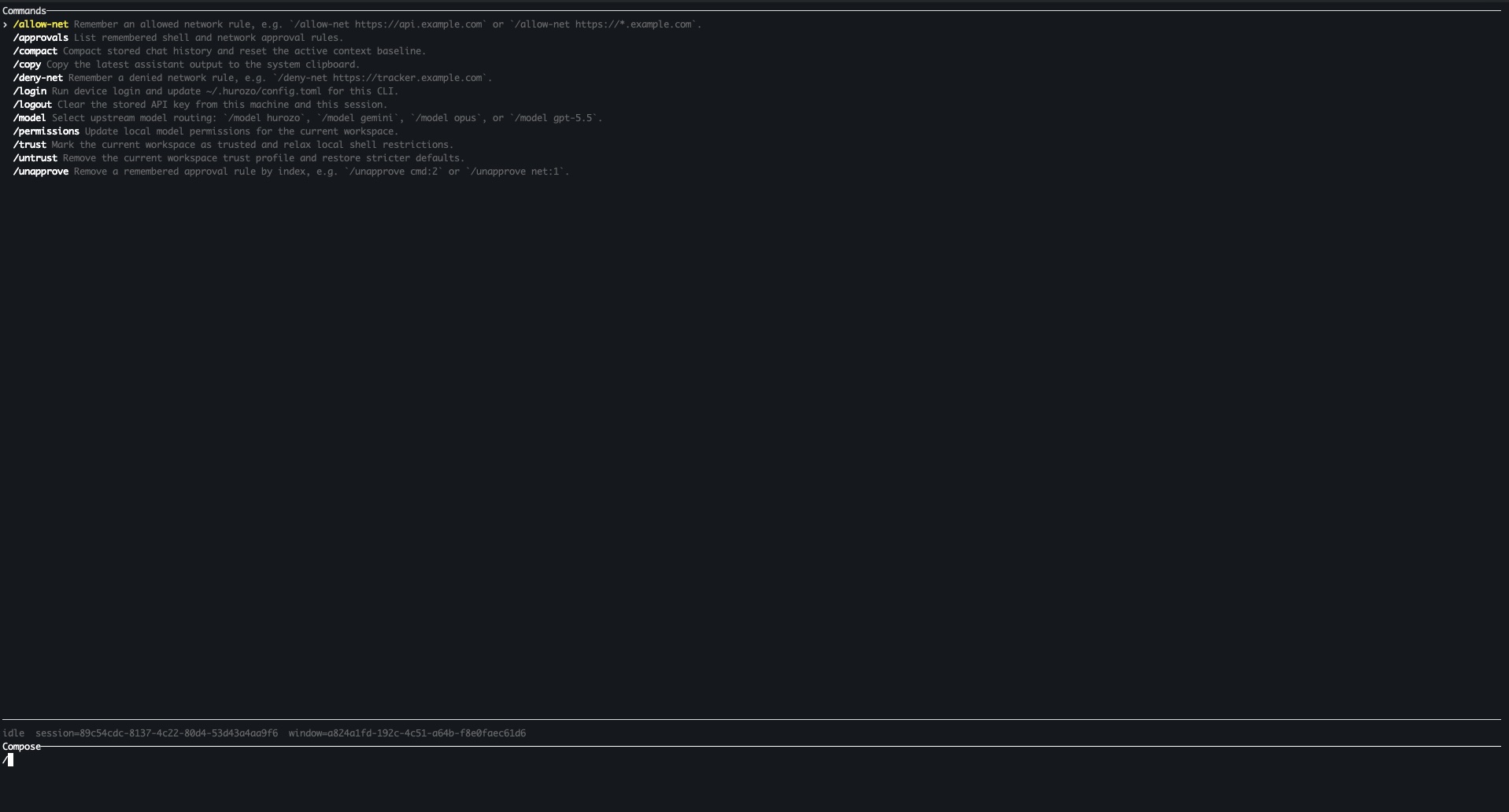
    Hurozo CLI running in a terminal

    Model routing

    Switch between Hurozo, Gemini, Opus, and ChatGPT-backed routes when your account is configured for them.

    Approvals

    Review tool permissions from the terminal and keep remembered decisions scoped to the exact operation.

    Second opinions

    Use model arbitration to ask another available route for critique, checks, or a different perspective.

    Connected tools

    Use the same account-backed connectors and skills available in Hurozo's desktop and WebCLI experiences.

    First run

    After installation, run hurozo. The CLI walks you through account authentication and any model-specific sign-in or secret setup that your selected route requires.

    Hurozo SDK

    Python agent invocation

    Hurozo SDK

    Invoke saved Hurozo agents from Python using the same API tokens, inputs, outputs, and runtime routing used by Agent Builder.

    Install
    pip install hurozo
    getting_started.pyPython
    import json
    import os
    
    from hurozo import Agent
    
    os.environ["HUROZO_API_TOKEN"] = "YOUR_API_TOKEN"
    agent = Agent("sentiment-analyser")
    inputs = {
        "prompt": "Analyze sentiment and return JSON. Text:",
        "input": "I am very happy!",
    }
    
    result = agent.run(inputs)
    print(json.dumps(result, indent=2))

    Agent lookup

    Use an agent name, saved agent id, or agent UUID. The SDK resolves the correct execution target.

    Structured inputs

    Pass a Python dictionary matching the API input keys exposed by the saved workflow.

    Hosted runtime

    Runs against Hurozo's execution endpoint, including model routing, tools, outputs, and usage accounting.

    Token setup

    Create an API token from Account settings -> Manage API Tokens, then set it as HUROZO_API_TOKEN before running scripts.

    Order and delivery · a live case

    “Where are my desks?” Answered from live status, on the same thread.

    The question your queue fills with after every order. Attend answers it from your live order, carrier, and install status, in your voice, and hands a delayed delivery to a person before the customer has to chase.

    New message · web chat 09:14
    When are my desks arriving? We have the office move on the 20th.
    Attend is reading it
    What chasing it by hand costs you

    Right now, every “where is it?” is a manual hunt.

    Your team opens the order in your ERP, checks the carrier, checks the install calendar, and pieces an answer together. Slow, and out of date the moment the truck runs late.

    ~40%
    of support contacts are “where is my order?”, and more for multi-week freight.
    WISMO benchmarks · 2024-26
    58%
    of big and bulky deliveries are rescheduled at least once.
    DispatchTrack · 2022
    61%
    will not buy again after a big order arrives late.
    DispatchTrack · 2022

    External research, cited above.

    How the crew answers this one

    It tracks the order live, and flags the delay before your customer does.

    Attend · order and deliveryobserve mode · sample data
    Aug 2
    Order placed
    2 desks, 1 install
    Aug 14
    Dispatched from the depot
    On the carrier
    Thu 18
    Out for delivery
    8am to 12pm window
    Thu 18
    Install booked
    Afternoon, after delivery
    now
    One desk delayed at the depot
    delay flaggedIt may miss your move on the 20th. It will not promise a date it cannot keep. Held for a person to call the carrier.
    order + carrier, liveDelivery status · install scheduler

    Sample data, in observe mode. On your own orders, every answer is drawn from live status and cited to its source, and a delivery it cannot promise is held for a person.

    You may already track it

    A status page shows where it is. It does not answer your customer.

    A tracking tool
    NarvarparcelLabAfterShip
    Shows where the parcel is. But it only shows a status. It does not talk to your customer, in your voice, and it goes quiet on the one that matters: the late one.
    A general chatbot
    off-the-shelf AI
    Fast to set up. It copies the courier’s guess, misses your install step, and sounds nothing like you.
    By hand
    your team + spreadsheets
    Real judgment. But it is a hunt across three systems, and the late order still surprises the customer.
    Attend, on this job
    Reads your live order, carrier, and install, and answers in your voice. It catches the delay and hands it to a person before the customer has to chase. Keeps the tracking you already run.
    What it grounds in for this job

    It reads the carrier, ERP, and install you already run. No guessed dates, ever.

    Your canonDelivery and install policy Order and deliveryLive status, your ERP and carrier Install schedulerThe fitting slot, live

    Attend connects to the systems you already run. See the integrations →

    Proof

    Every answer, and the status behind it, is yours to inspect.

    order + carrier, livesample log · ORD-20418 · 09:02 CET
    Drawn from: Delivery status + install scheduler, live. Held delays are logged too.
    read the ordermatched to live statusnothing from the open weblogged and replayable

    Every answer, and every held delay, is one record you can open, replay, and export. Designed around the EU AI Act, on a source you own.

    You own it EU AI Act, by design EU residency on our roadmap A person is always reachable
    Own the answer your customers hear

    Answer “where is my order?” from live status, every time.

    From your live order, carrier, and install status, in your voice, and a person on the delayed ones.

    The pilot is risk-free on the investment. If it does not hit the KPIs you agree, you do not pay for the sprint.

    See how the first weeks work: First steps →