hurozo Attend
First step

Set up your first agency

Create an agency, add workers, attach canon, and assign its first task.

Worker Tools

Manage worker

Tune the role and tools for this agency teammate. Graph wiring stays internal.

Tools

Loading...

Worker View

No tools selected
Team worker Untitled Agent Describe what this agent should do. HurozoAgent

Worker Chat

Describe the worker you want to add to this team, or what you want to change.
Draft JSON
{}

Teams

Teams are managed from Agency.

Connectors

Connectors

Connect services for the current agency

Loading connectors…

Agency

Team workspace

Planning

Filters

Build

Runs

Execution activity

Runs

Inspect Worker work, tool calls, reasoning summaries, and failures.

Select a run to inspect its activity.

Files

Agency files

    Documentation

    Contact Us

    New message

    To: hi@hurozo.com

    Hurozo CLI

    Terminal-first agent work

    Hurozo CLI

    The same Hurozo agent runtime, model routes, approvals, and connected tools from your shell.

    Install with Homebrew
    brew tap hurozo/hurozo-cli
    brew install hurozo-cli
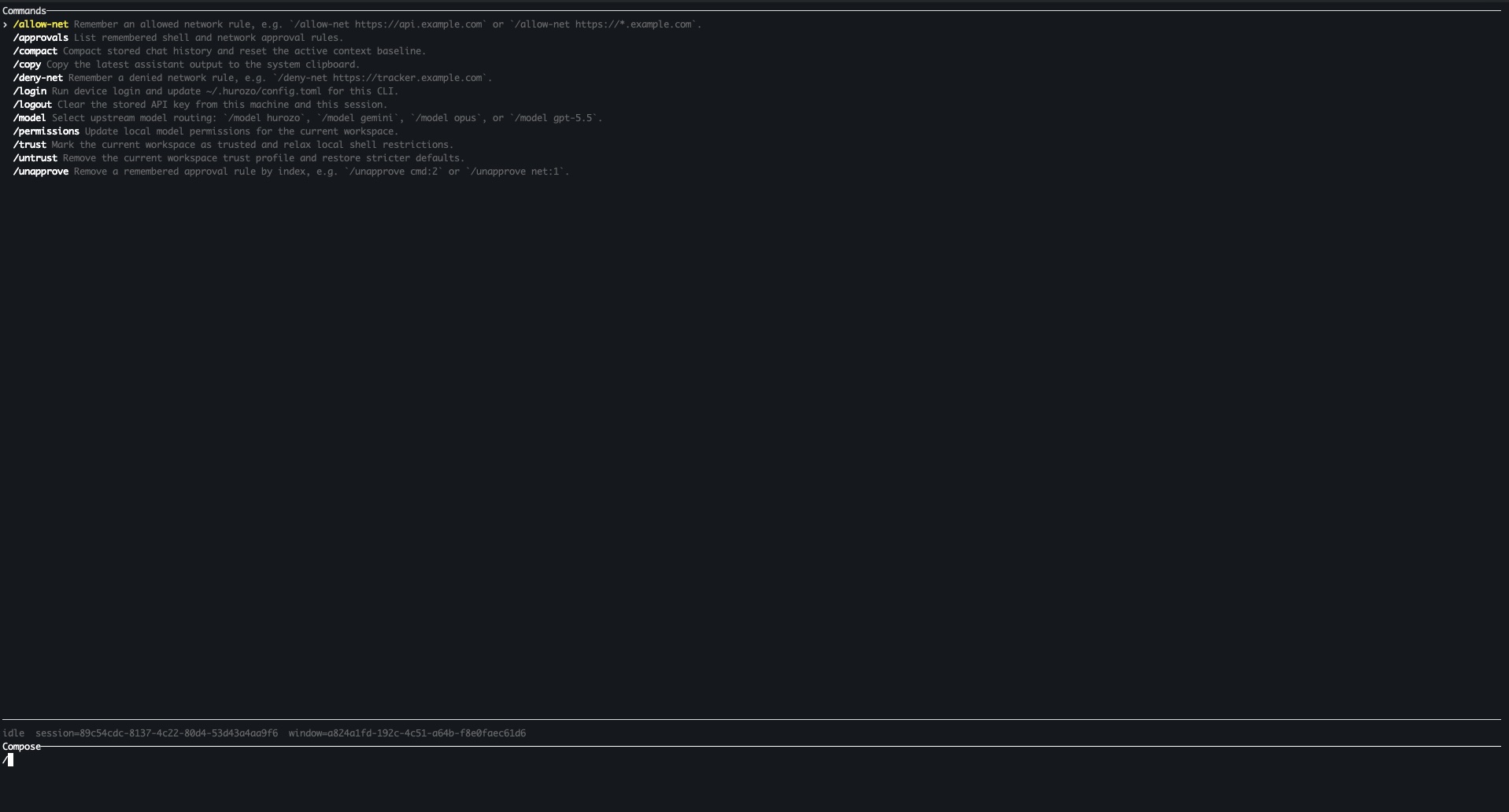
    Hurozo CLI running in a terminal

    Model routing

    Switch between Hurozo, Gemini, Opus, and ChatGPT-backed routes when your account is configured for them.

    Approvals

    Review tool permissions from the terminal and keep remembered decisions scoped to the exact operation.

    Second opinions

    Use model arbitration to ask another available route for critique, checks, or a different perspective.

    Connected tools

    Use the same account-backed connectors and skills available in Hurozo's desktop and WebCLI experiences.

    First run

    After installation, run hurozo. The CLI walks you through account authentication and any model-specific sign-in or secret setup that your selected route requires.

    Hurozo SDK

    Python agent invocation

    Hurozo SDK

    Invoke saved Hurozo agents from Python using the same API tokens, inputs, outputs, and runtime routing used by Agent Builder.

    Install
    pip install hurozo
    getting_started.pyPython
    import json
    import os
    
    from hurozo import Agent
    
    os.environ["HUROZO_API_TOKEN"] = "YOUR_API_TOKEN"
    agent = Agent("sentiment-analyser")
    inputs = {
        "prompt": "Analyze sentiment and return JSON. Text:",
        "input": "I am very happy!",
    }
    
    result = agent.run(inputs)
    print(json.dumps(result, indent=2))

    Agent lookup

    Use an agent name, saved agent id, or agent UUID. The SDK resolves the correct execution target.

    Structured inputs

    Pass a Python dictionary matching the API input keys exposed by the saved workflow.

    Hosted runtime

    Runs against Hurozo's execution endpoint, including model routing, tools, outputs, and usage accounting.

    Token setup

    Create an API token from Account settings -> Manage API Tokens, then set it as HUROZO_API_TOKEN before running scripts.

    Retain

    Get your angriest customer to a person, in time.

    The third message, the customer about to cancel. The Escalation Spotter reads the signals, builds the context, and routes it to the right person on the same thread, before a canned reply makes it worse.

    The catch, on your data

    See the customer you would have lost reach a person.

    One ticket a bot would have answered again. Attend reads it, sees the risk, and routes it to a person, warm.

    Attend · your support deskobserve mode · sample data
    05:52
    Deniz wrote, third time this weekat risk
    "I am about to cancel."
    05:52
    Read the signals, did not auto-answer
    Repeat contact, cancel intent, a falling tone. A reply is not what this one needs.
    05:53
    Built the context for the person
    Three prior tickets, order #4460 delayed twice, customer since 2021.
    05:53
    MHanded to Maria, same thread, full history
    read the signalscaught the riskbuilt the contexthanded to a personnever a walllogged

    One sample catch, in observe mode on sample data. The background behind the window is not real data. On your own tickets, the crew catches the ones that should reach a person and routes them, with the context, before a bot loop makes it worse.

    How the Escalation Spotter works

    Your team gets the hard one, warm, with the story in hand.

    A Watcher and a Scorer, with the Logger writing down every step. When a ticket should reach a person, it does not try to answer it. It routes it, with everything the person needs.

    It reads the signals a rule would miss.
    Repeat contact, cancel and complaint words, a tone that is falling, the VIP flag. The quiet churn a keyword filter walks past.
    what it caught
    Third contact this weekpattern
    "about to cancel"intent
    It builds the context before the handoff.
    The history, the order, the value, bundled. The person opens it knowing the whole story, not starting cold on message four.
    what it packed
    3 prior ticketshistory
    Order #4460, delayedaccount
    It hands to a person, on the same thread, in time.
    No dead end, no "sorry for the wait" loop. The customer reaches a human before they leave, and the whole path is on the record.
    the handoff
    Routed to Maria
    Same thread, full historylogged
    Why it matters

    A deflection bot's best day is a customer who gives up quietly. Catching the one that should reach a person, and reaching them in time, is how you keep the customers you were about to lose.

    Questions

    What support leads ask about escalation.

    Does it try to answer everything first?
    No. When the signals say a person is needed, it does not attempt a reply. It routes the ticket with the context, so the customer is never stuck in a bot loop while they get angrier.
    How does it know which one needs a person?
    Repeat contact, cancel or complaint language, a falling tone, VIP status, and the rules you set. You tune what counts as a reason to hand over.
    What does the person actually receive?
    The full thread, the order, the history, and why it was flagged, on the same conversation. They open it warm, not from scratch, so the customer does not have to repeat themselves.
    Does the customer wait in a bot loop first?
    No. That loop is the exact thing this prevents. The moment a ticket should reach a person, it does, on the same thread.
    Who does it route to, and after hours?
    Whoever you set, by topic, language, or account. You decide the routing and the after-hours path, so nothing risky sits unseen until morning.
    Is there a record of the catch and the handoff?
    Yes. Every signal it caught, the reason it flagged, and who it went to, logged and replayable. See Trust and security.
    Never a wall

    Keep the customers you were about to lose.

    The hard ones reach a person, in time, with the whole story in hand. Every catch and handoff on the record, and yours.

    You own it Built for the EU AI Act Your data stays in the EU A person is always reachable