hurozo Attend
First step

Set up your first agency

Create an agency, add workers, attach canon, and assign its first task.

Worker Tools

Manage worker

Tune the role and tools for this agency teammate. Graph wiring stays internal.

Tools

Loading...

Worker View

No tools selected
Team worker Untitled Agent Describe what this agent should do. HurozoAgent

Worker Chat

Describe the worker you want to add to this team, or what you want to change.
Draft JSON
{}

Teams

Teams are managed from Agency.

Connectors

Connectors

Connect services for the current agency

Loading connectors…

Agency

Team workspace

Planning

Filters

Build

Runs

Execution activity

Runs

Inspect Worker work, tool calls, reasoning summaries, and failures.

Select a run to inspect its activity.

Files

Agency files

    Documentation

    Contact Us

    New message

    To: hi@hurozo.com

    Hurozo CLI

    Terminal-first agent work

    Hurozo CLI

    The same Hurozo agent runtime, model routes, approvals, and connected tools from your shell.

    Install with Homebrew
    brew tap hurozo/hurozo-cli
    brew install hurozo-cli
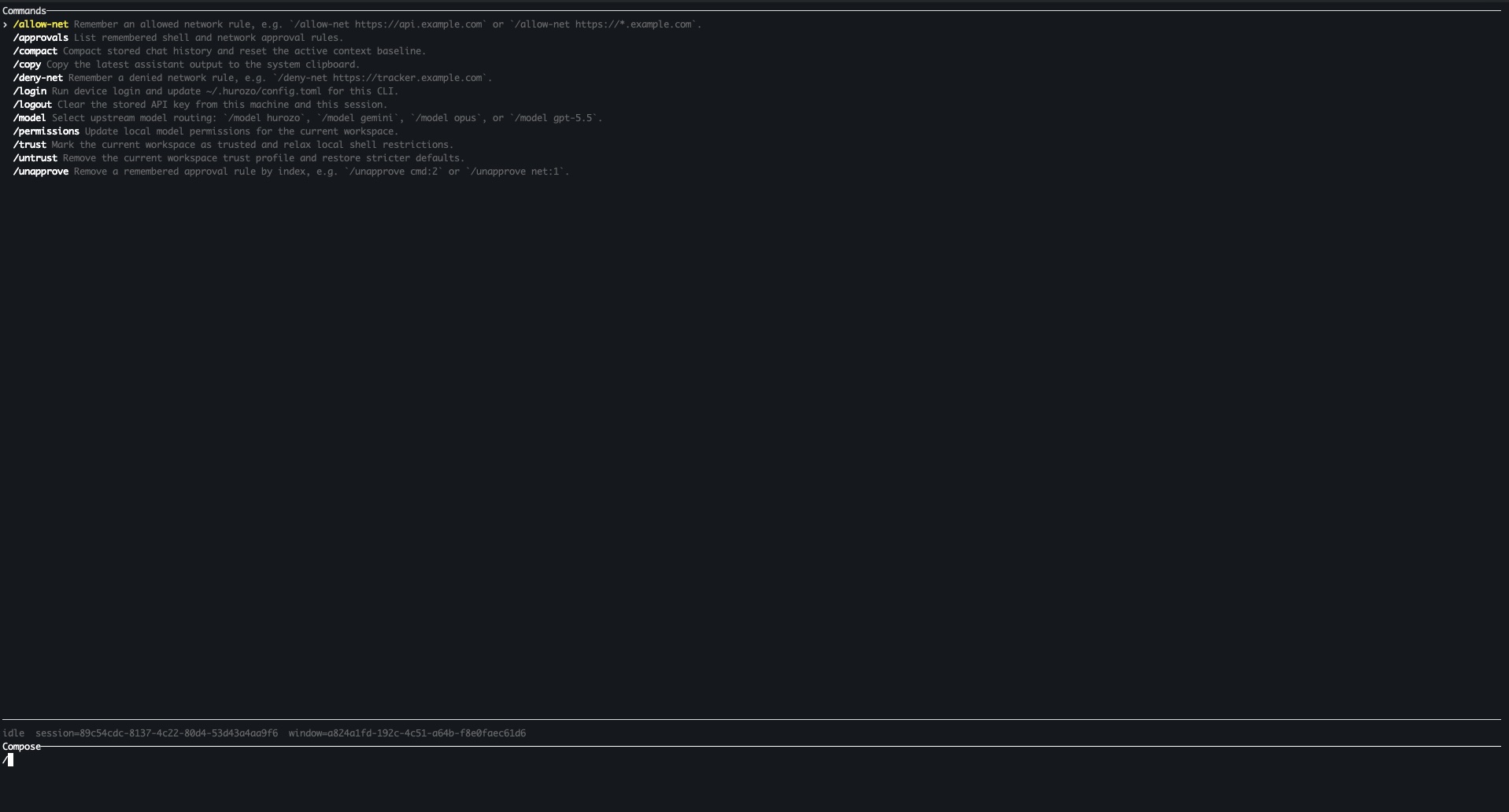
    Hurozo CLI running in a terminal

    Model routing

    Switch between Hurozo, Gemini, Opus, and ChatGPT-backed routes when your account is configured for them.

    Approvals

    Review tool permissions from the terminal and keep remembered decisions scoped to the exact operation.

    Second opinions

    Use model arbitration to ask another available route for critique, checks, or a different perspective.

    Connected tools

    Use the same account-backed connectors and skills available in Hurozo's desktop and WebCLI experiences.

    First run

    After installation, run hurozo. The CLI walks you through account authentication and any model-specific sign-in or secret setup that your selected route requires.

    Hurozo SDK

    Python agent invocation

    Hurozo SDK

    Invoke saved Hurozo agents from Python using the same API tokens, inputs, outputs, and runtime routing used by Agent Builder.

    Install
    pip install hurozo
    getting_started.pyPython
    import json
    import os
    
    from hurozo import Agent
    
    os.environ["HUROZO_API_TOKEN"] = "YOUR_API_TOKEN"
    agent = Agent("sentiment-analyser")
    inputs = {
        "prompt": "Analyze sentiment and return JSON. Text:",
        "input": "I am very happy!",
    }
    
    result = agent.run(inputs)
    print(json.dumps(result, indent=2))

    Agent lookup

    Use an agent name, saved agent id, or agent UUID. The SDK resolves the correct execution target.

    Structured inputs

    Pass a Python dictionary matching the API input keys exposed by the saved workflow.

    Hosted runtime

    Runs against Hurozo's execution endpoint, including model routing, tools, outputs, and usage accounting.

    Token setup

    Create an API token from Account settings -> Manage API Tokens, then set it as HUROZO_API_TOKEN before running scripts.

    Resolve

    Decide refunds by your policy, not by who is on the desk.

    A refund past the window, a goodwill credit, an account change nobody wants to get wrong. The Refund Drafter checks each request against your policy, proposes the call, and does nothing until you approve it.

    The decision, on your data

    See the refund it proposes, and where it stops.

    One real request, checked against your policy and held for your call. On your yes it issues the refund. No money moves before that.

    Attend · your support deskobserve mode · sample data
    M
    Maria · 09:41
    I have changed my mind and would like a refund. I ordered it 40 days ago.
    #4471
    The decision · checked against your policy

    Your return window is 30 days. This request is day 40, so it sits outside policy. A judgment call, not an automatic yes or no.

    This customer: 6 orders, and the first time they have asked for a refund.

    checked against your refund policy
    Proposed: refund €80 to the original card · your call
    DeclineChangeApprove and refund
    checked your policyscored the exceptionbrought the contextheld at the gateacts on approvallogged

    One sample decision, in observe mode on sample data. The background behind the window is not real data. On your own tickets, the crew checks each request against your policy and proposes the call, and no money moves until you approve it.

    How the Refund Drafter works

    It proposes the call. You approve before it acts.

    The crew weighs each request against your policy, proposes the call, and keeps a record of every step. It acts only on your yes.

    It checks the request against your policy.
    It reads the rule that applies and where this request falls. In policy, or a judgment call. It tells you which, and why.
    what it checked
    Return window, 30 daysyour policy
    This request, day 40outside
    It brings the context you would want.
    The account, the history, the risk signals. The facts you would look up yourself before deciding, gathered and in front of you.
    what it brought
    6 orders, loyalaccount
    First refund askhistory
    It acts only on your yes, and does the action, not just the words.
    The refund waits for you. Approve, change the amount, or decline. On your yes it issues the refund through your connected payment provider and updates the order, and every step is on the record.
    your call
    Held for approval
    Approved, refund issuedlogged
    Why it matters

    Refund calls made by different people, day to day, slowly drift from your policy. The ones that drift are the ones that come back as a chargeback or a complaint. One policy, applied the same way, and you on the calls that are truly yours.

    Questions

    What support leads ask about policy decisions.

    Does it issue refunds by itself?
    No. It proposes the refund and holds. No money moves until you approve it. You can approve, change the amount, or decline.
    What about requests outside your policy?
    It does not quietly approve or deny them. It flags the request as a judgment call, brings the context, and holds it for a person. Your policy sets the line, and the exceptions come to you.
    Can it actually make the refund, or only draft the message?
    On your approval it issues the refund through your connected payment provider (the one you already use) and updates the order, then logs it. It does the action, not just the wording. That is what sets a decision apart from a drafted reply.
    What stops it going over a limit?
    You set the policy, the limits, and who can approve what. Anything past them is held for a person, never approved by itself. The crew only ever acts inside the boundaries you set.
    Who is allowed to approve?
    The roles you set. Every approval is tied to a name and logged, so you can show who decided what, and when.
    What about refund abuse?
    It surfaces the signals, like repeat refunds on one account, but it does not decide. The call and the record stay with you.
    Is there a record for finance or the regulator?
    Yes. Every decision, the policy it checked, who approved it, and when, logged and mapped to the EU AI Act. See Trust and security.
    Own the call

    Own every refund call, and the policy behind it.

    Your policy, applied the same way on every request, with you on the exceptions. Every decision proposed, held for your yes, and logged. And all of it is yours.

    You own itBuilt for the EU AI ActYour data stays in the EUA person is always reachable